
Multi-Day Jobs: What to Know Before You Apply

One schedule to work the full job from start to finish
Some jobs on Time2Staff last several days or weeks instead of just one shift — like a 20-day housekeeping role at a resort, or an extended kitchen position helping with à la carte and buffet service. These are marked as multi-day jobs, and applying works a bit differently. Here's how:
1. Spot the "Multi-day" tag When browsing jobs, look out for roles like chef, waiter, housekeeper, or barista marked with a "Multi-day" label and a total day count (e.g. "20 Days"). 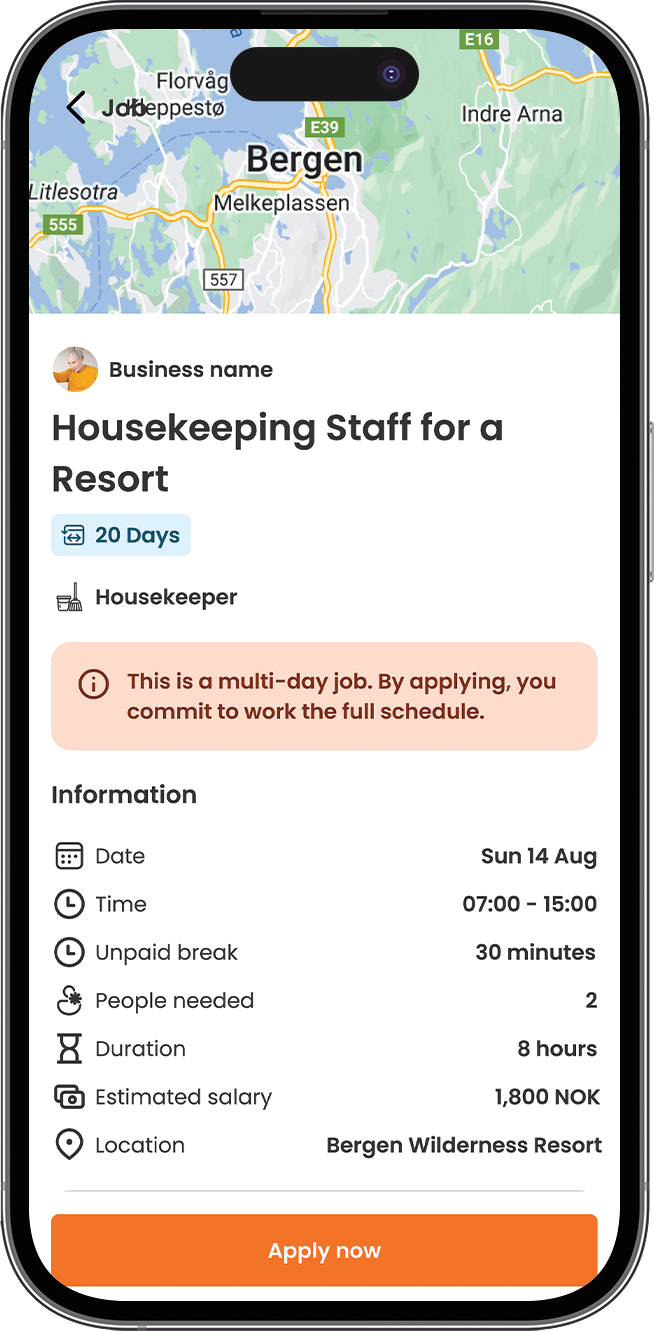
2. Check the full schedule Before applying, review the dates, hours, and location carefully; this is a package deal, not a single shift.
3. Confirm your Commitment Pledge When you apply, you'll be asked to confirm you understand and accept this: applying means committing to the entire schedule if approved. 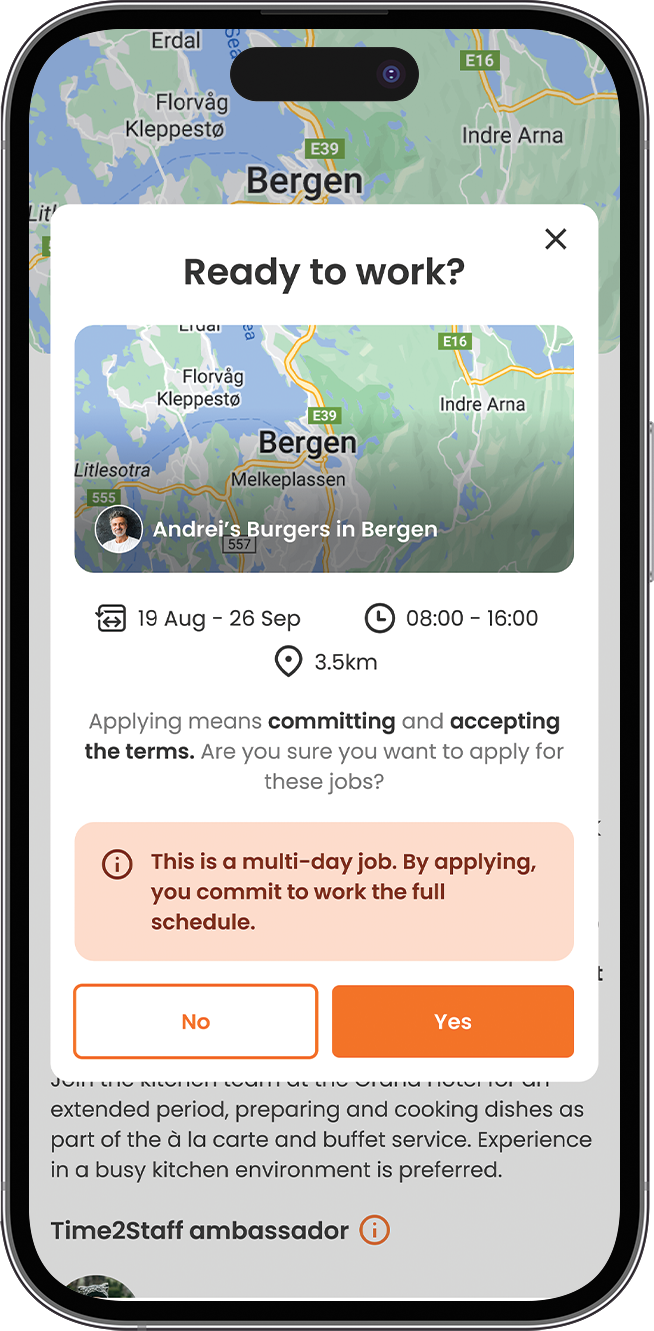
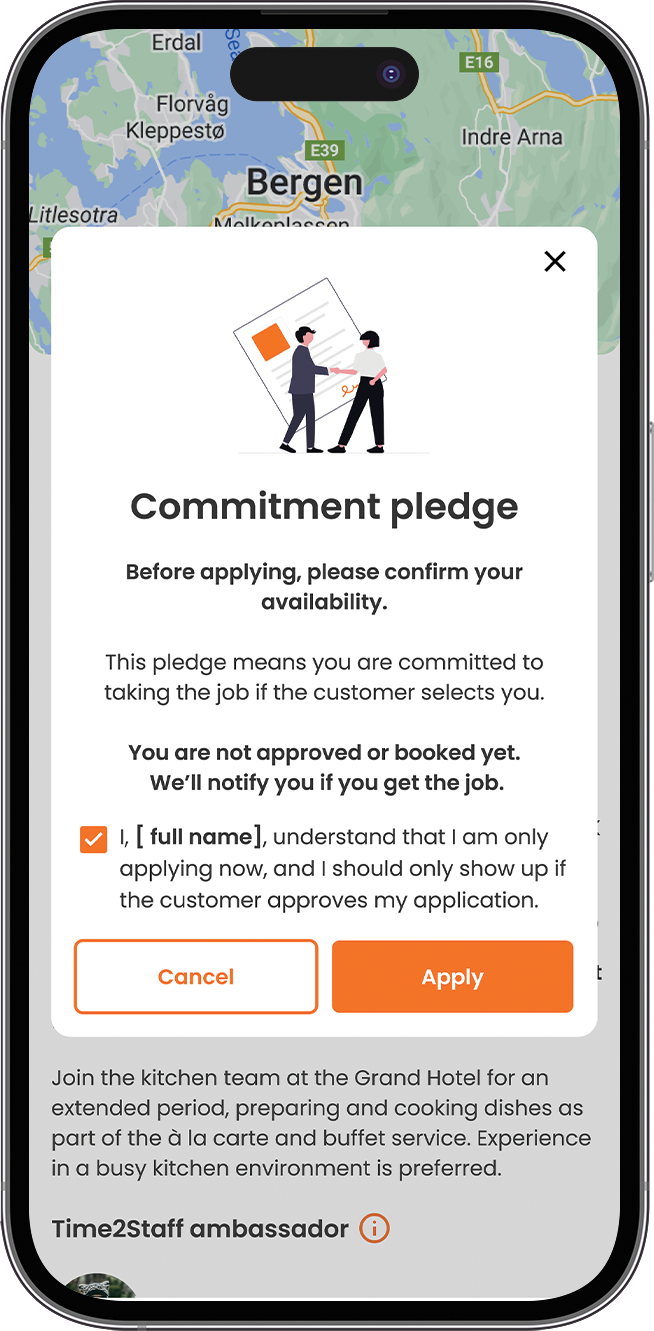
4. Wait for approval Applying doesn't mean you're booked. The business still needs to approve you, you'll get notified as soon as they do.
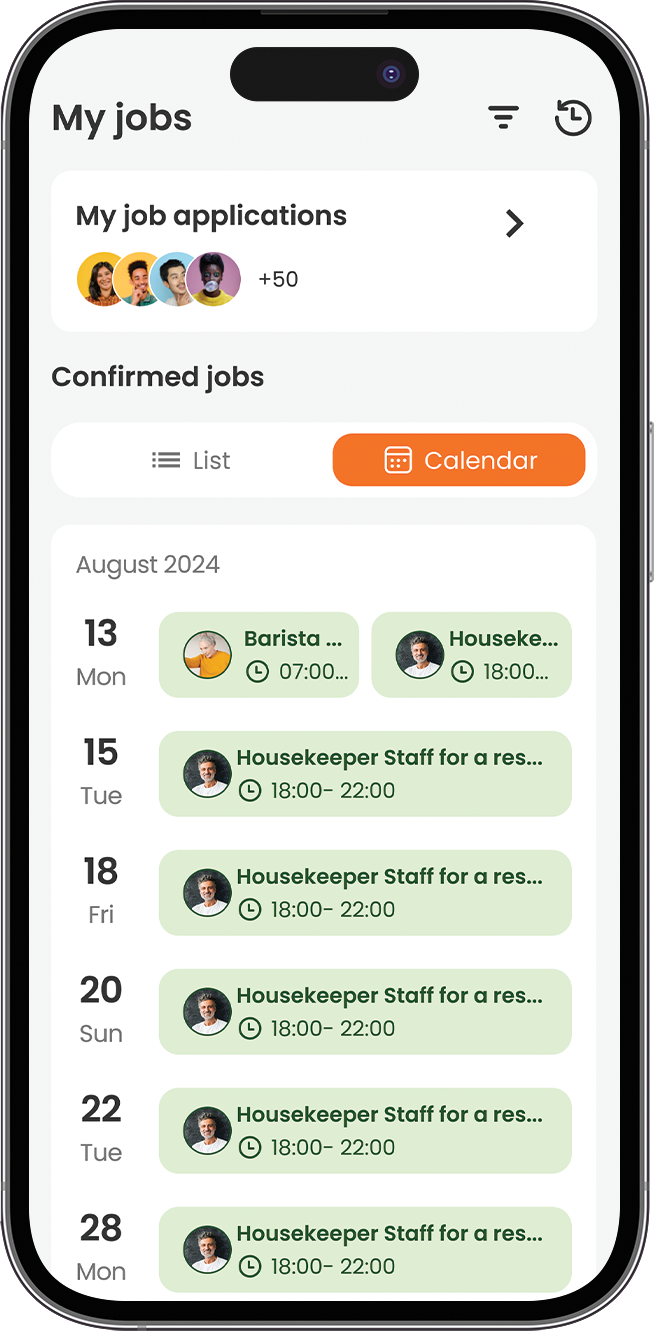
5. Track it all in My Jobs Once confirmed, every shift for that job shows up together under My Jobs, viewable as a list or calendar — so you always know what's coming up.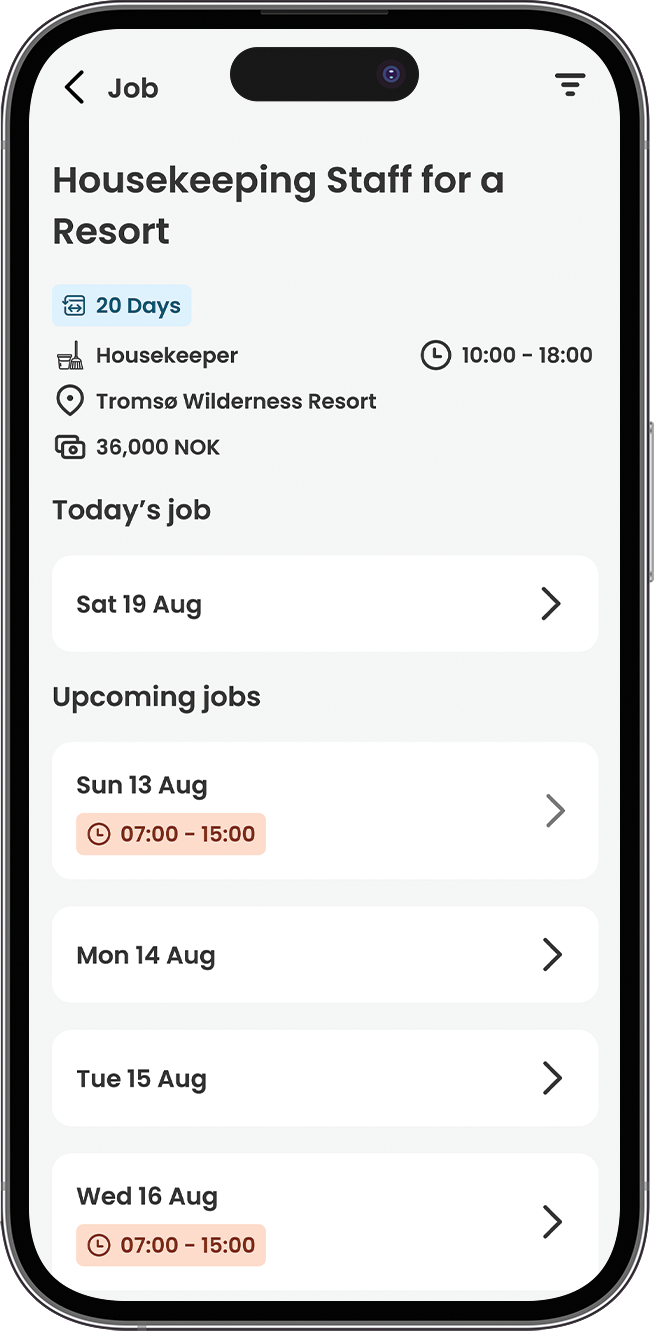
Tip: Only apply if you're confident you can commit to the full schedule, cancelling partway through affects your reliability score.