
Getting Paid: Completing Your EasyFreelance Setup in the Time2Staff App

When you log into the Time2Staff app for the first time as a Norwegian-based worker and are approved for your first job, you'll see a banner at the top of the Home screen: "Complete your payment setup." This is a required step to make sure you get paid for the jobs you complete through Time2Staff in Norway.
What is EasyFreelance?
EasyFreelance is Time2Staff's partner for handling payments. To ensure your pay reaches you correctly and securely, you need to complete a short registration with them, done entirely from within the Time2Staff app.
Why do I need to do this?
Without a completed EasyFreelance account, Time2Staff cannot release payment for your jobs, even if you've worked and checked in/out as normal. This is a standard, legally required step for anyone getting paid in Norway.
How to complete the setup
Tapping "Complete account" on the Home banner takes you through two short steps: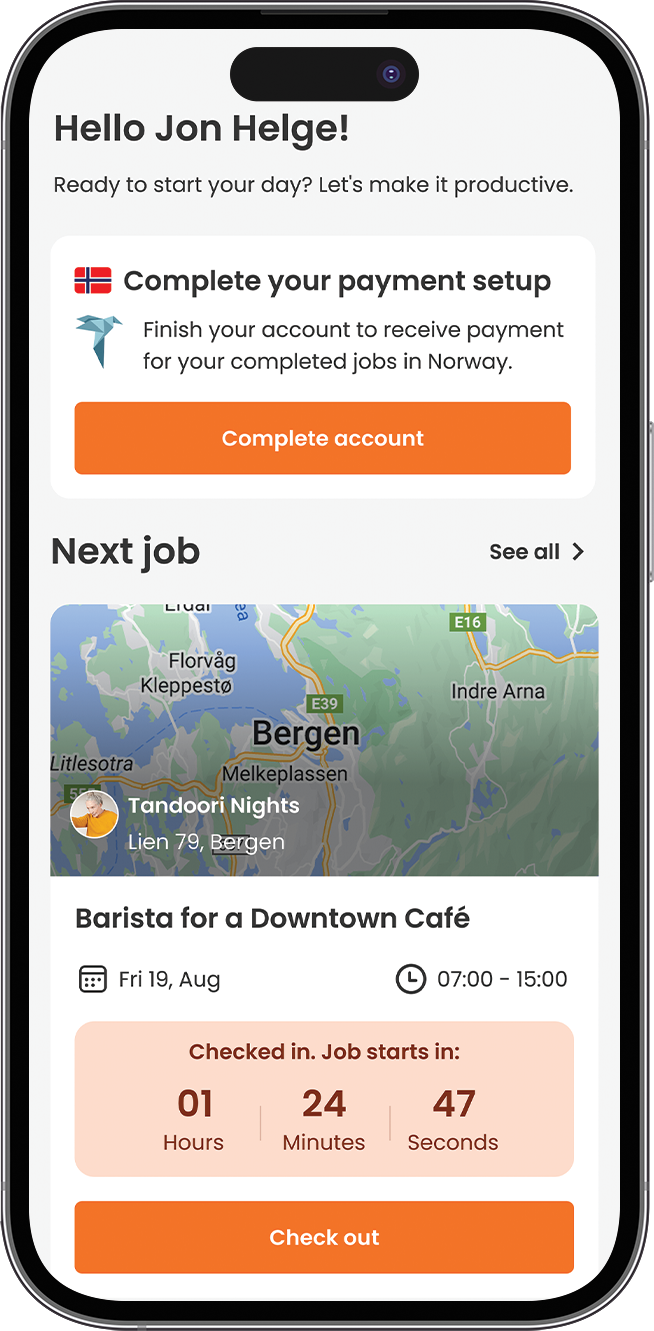
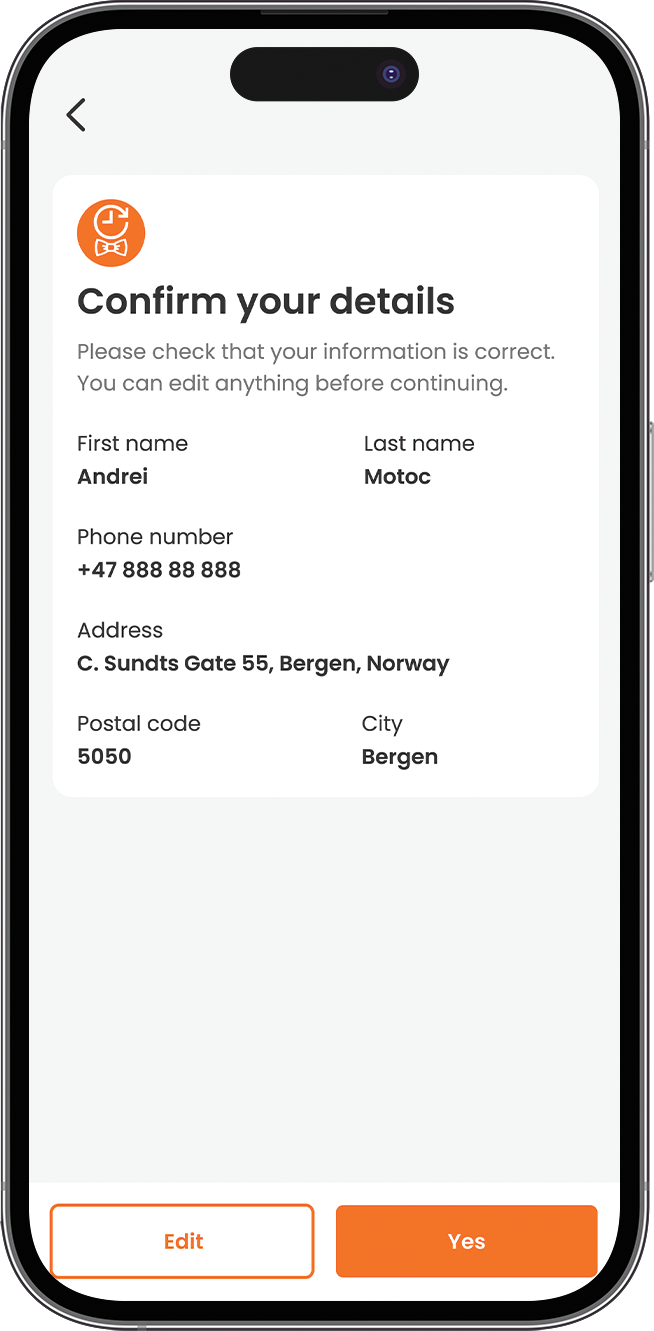
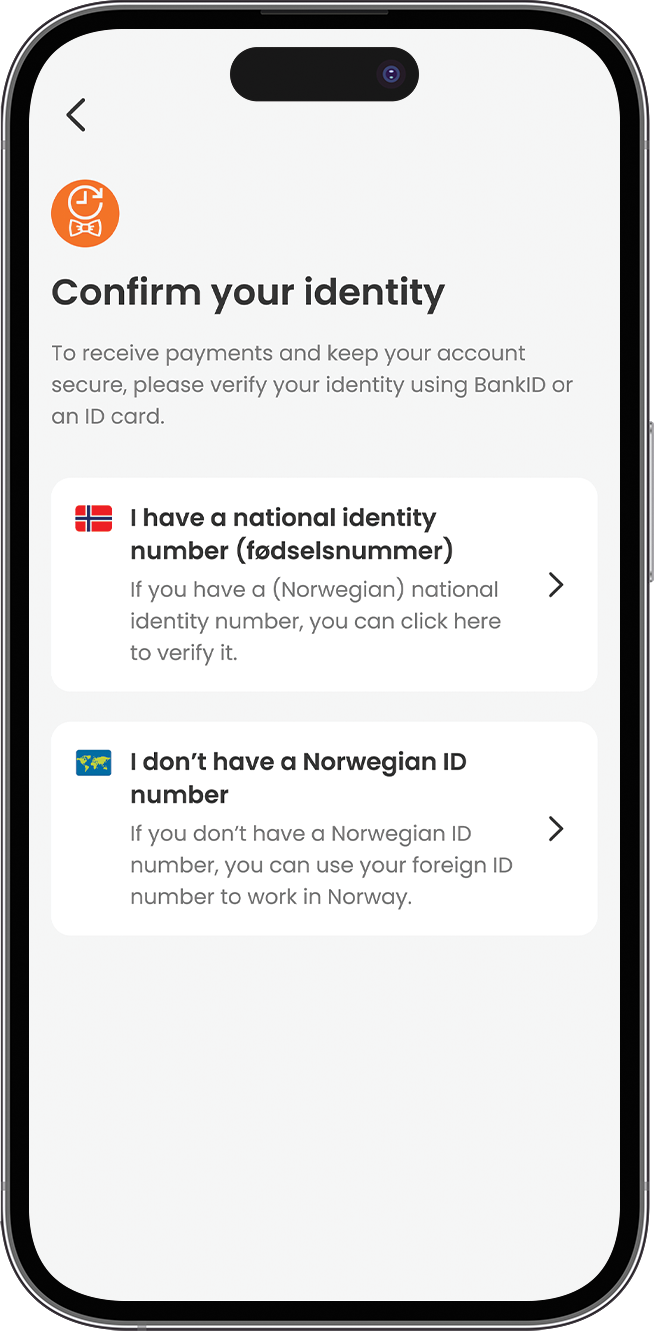
Step 1: Confirm your identity You'll be asked to verify who you are using BankID or an ID card. You'll typically choose between:
-Verifying with your Norwegian national identity number (fødselsnummer), if you have one.
-Using a foreign ID number, if you don't have a Norwegian personal ID number, so you can still work legally in Norway.
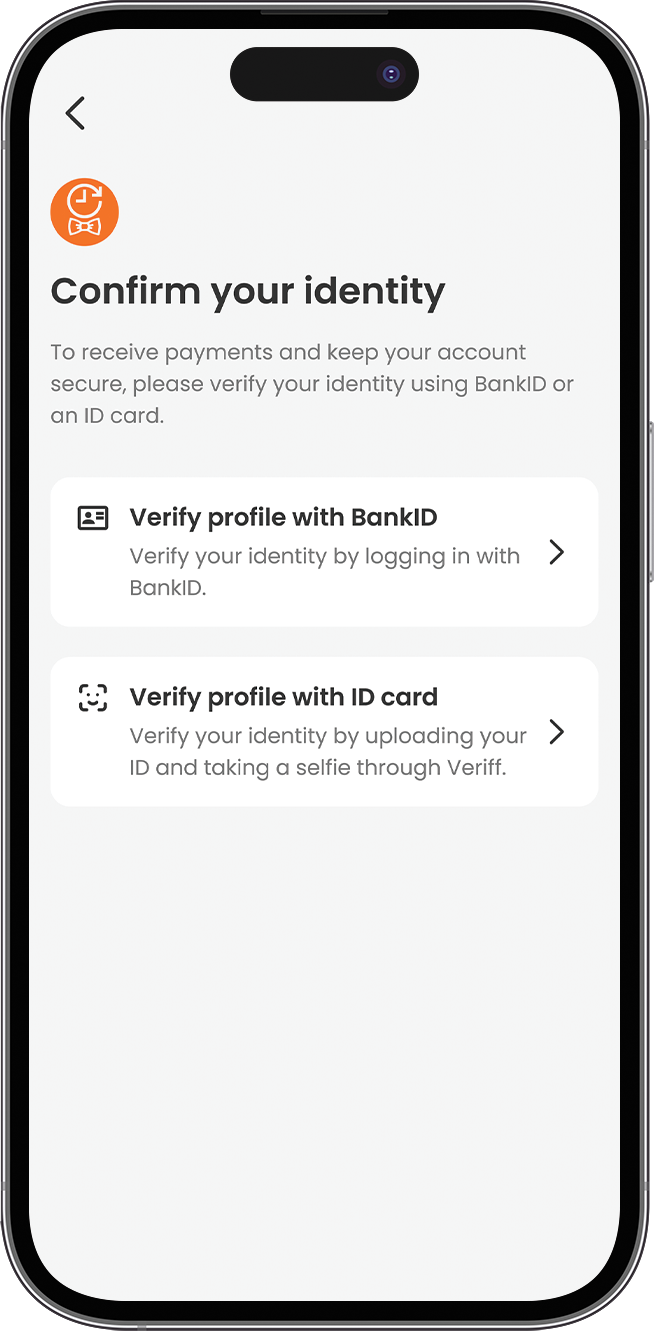
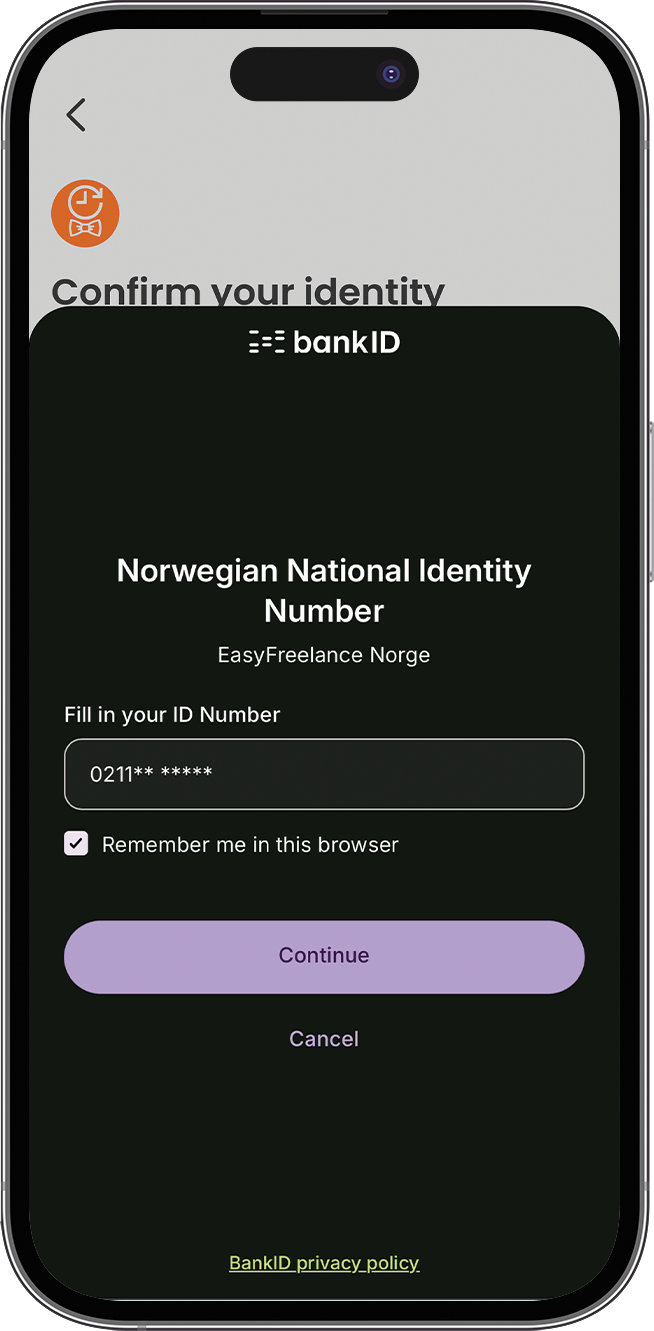
Step 2: Add your bank details Next, you'll enter your payment information so your wages can be paid correctly:
-Your Norwegian bank account number (11 digits)
-Any additional account details requested (such as account type, if applicable)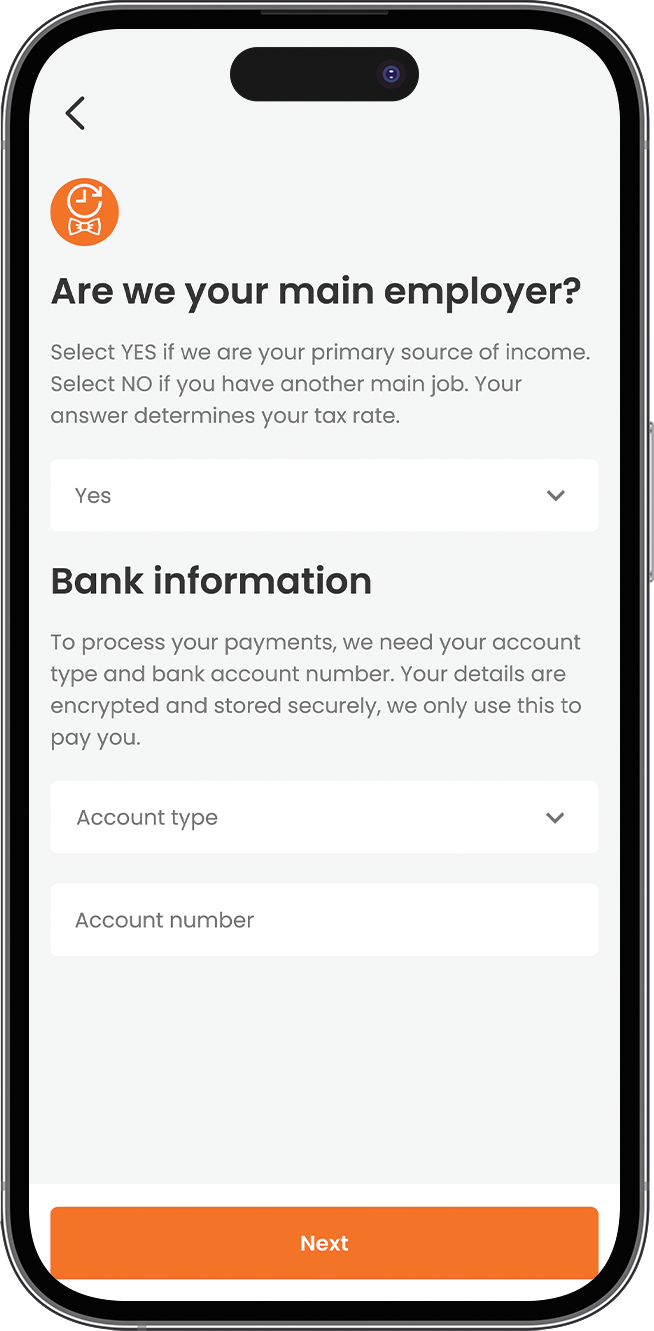
Your information is encrypted and stored securely; it's used only to pay you. Once you've completed both steps and tapped "Next," your EasyFreelance account is set up, and the banner will automatically disappear from your Home screen.
What happens if I don't complete it?
You can still be assigned jobs and check in/out normally, but your payment will be held until your EasyFreelance account is completed and confirmed. We recommend finishing this as early as possible ideally before your first shift.
Checking your payment account status
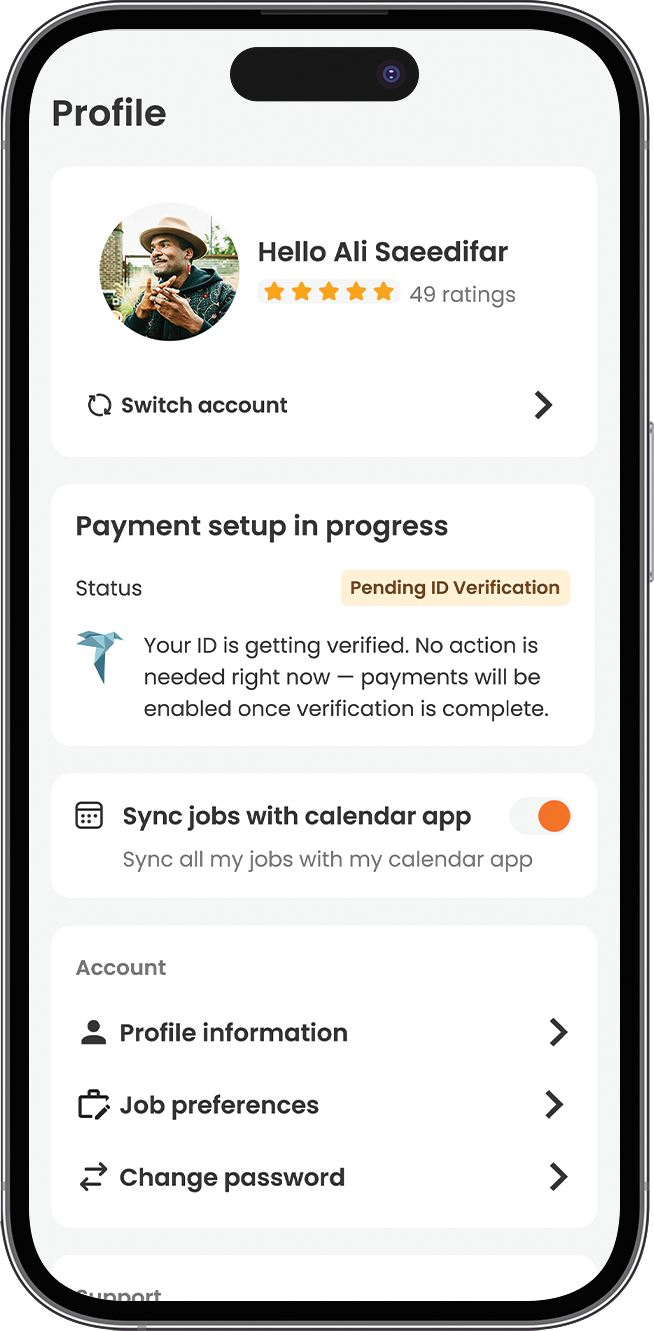
After you complete the setup steps, your account goes through ID verification. You can check where things stand anytime under Profile:
"Payment setup in progress" with status "Pending ID Verification" — your ID is being verified. No action is needed; payments will be enabled automatically once verification is complete.
"Payment account connected" with status "ID Verification succesfully" — your account is fully set up. You can manage payments, taxes, and details in EasyFreelance anytime.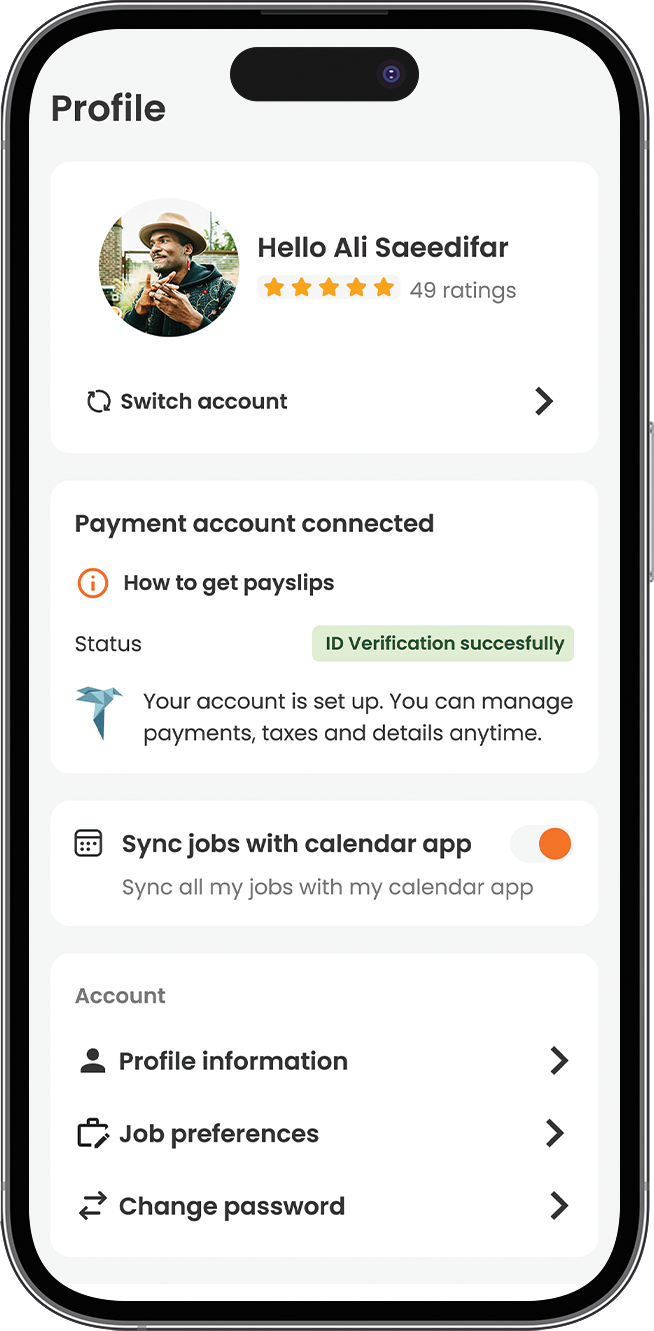
How to get your payslips
Once your account shows as connected, you can download your payslips directly from EasyFreelance. On the Profile screen, tap "How to get payslips" for a quick guide:
Go to Payouts / Utbetalinger in your EasyFreelance account.
Click Options / Valg next to the payout.
Select Payslip / Lønnslipp to get the document.
You can also tap "Go to EasyFreelance" from this same screen to open your account directly.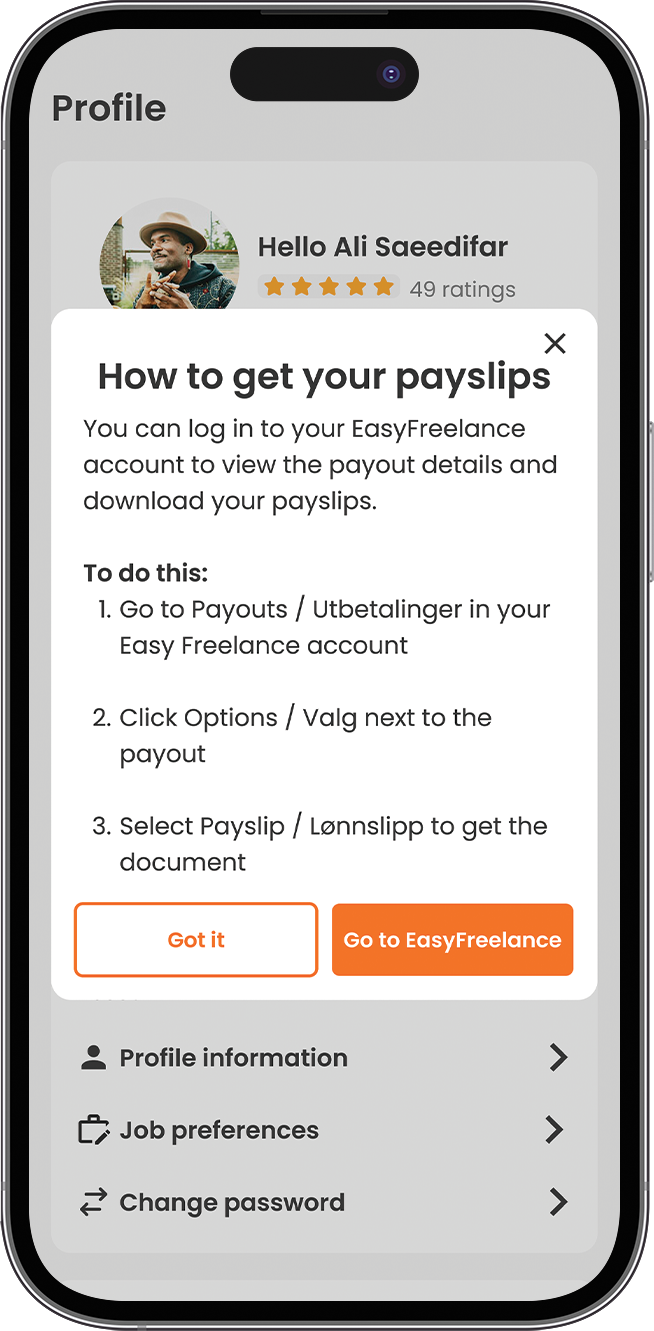
Frequently Asked Questions (FAQ)
1. What is the "Complete your payment setup" banner I see in the app? It's a reminder to finish your registration with EasyFreelance, Time2Staff's payment partner, so you can be paid for your jobs in Norway.
2. How long does it take to complete the EasyFreelance setup? Usually just a few minutes, as long as you have your ID (BankID or ID card) and bank account details ready.
3. Do I need to do this every time I take a new job? No, this is a one-time registration. Once your account is verified, the banner disappears and you won't need to repeat the process for future jobs.
4. What happens to my pay if I haven't completed my account before working? You can still work and check in/out as usual, but your payment will be held back until your EasyFreelance account is finished and confirmed.
5. I've already completed the setup, but the banner is still showing, what should I do? Try closing and reopening the app first. If the issue continues, contact support@time2staff.com and we'll help you sort it out quickly.
6. Is my bank information safe? Yes. All information you provide (bank account number and any related details) is encrypted and stored securely by EasyFreelance. It's used exclusively to process your pay.